
SEO poisoning in DFW is a growing concern for businesses that depend on Google Search, Google Maps and their websites to attract customers. From small businesses in Dallas and Fort Worth to companies in Plano, Arlington and Frisco, failing to take appropriate security measures can expose your online presence to malicious attacks. Imagine investing time and money in SEO, building your Google Business Profile and earning customer trust, only to discover that your website has been compromised, suspicious pages are appearing in search results or visitors are being redirected to unfamiliar websites. Beyond losing website traffic and potential customers, your business could suffer reputational damage, reduced search visibility and a loss of customer confidence. The challenge is that many business owners do not recognise the warning signs until the damage has already started. Understanding how SEO poisoning works, how to detect it and what steps to take to prevent it can help protect your website, your customers and the online reputation you have worked hard to build.
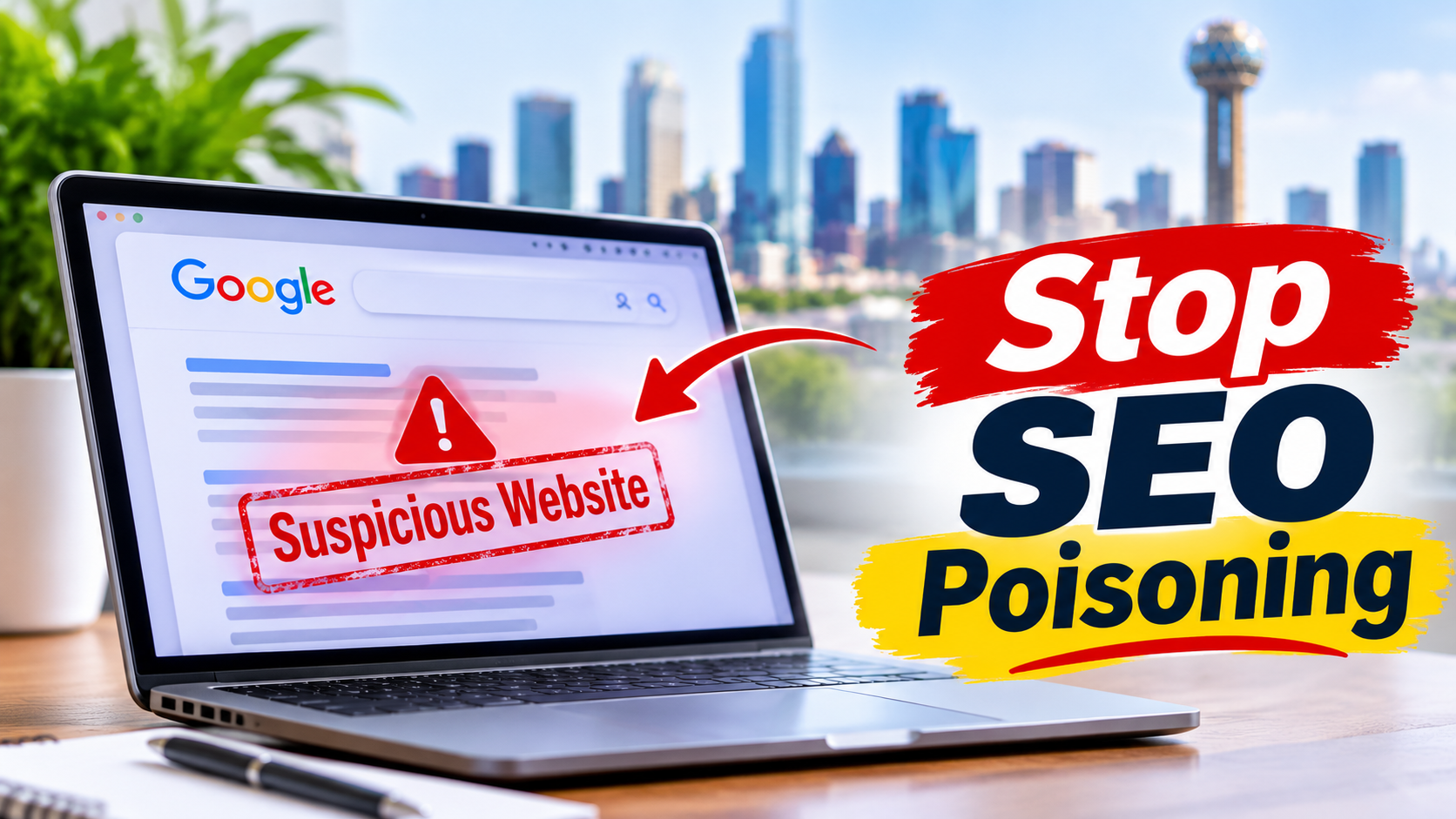
SEO poisoning is a technique used by cybercriminals to manipulate search engine results and direct unsuspecting users towards malicious websites, fraudulent downloads, phishing pages or other harmful destinations. In some cases, attackers also compromise legitimate business websites and use them to publish spam content or redirect visitors. For a Dallas business that depends on Google Search, Google Maps and website enquiries, this is a problem worth taking seriously. The good news is that you can reduce the risks by knowing what to look for, monitoring your website and putting the right security measures in place.
Let’s look at how SEO poisoning works, how to recognise the warning signs and what your business can do to prevent it.
What Is SEO Poisoning and Why Should Dallas Businesses Care?
SEO poisoning happens when someone manipulates search engine visibility to promote harmful or deceptive websites. Attackers may create websites targeting popular search terms, imitate legitimate brands or exploit vulnerabilities in existing websites to distribute malicious content. For example, someone searching Google for a Dallas roofing company, a plumbing service in Fort Worth or a local business phone number could encounter a fraudulent website designed to look trustworthy. There is another side to the problem. Cybercriminals may gain access to a legitimate business website and insert unrelated pages, hidden links, suspicious scripts or redirects. This can make the business appear connected to content it never published. Google identifies hacked content as a form of search spam. It can include injected code, newly created spam pages, hidden content and redirects.
For small businesses, the consequences can extend beyond search rankings:
- Customers may lose confidence in the business.
- Visitors may be redirected away from the legitimate website.
- Contact forms and other website functions may become unreliable.
- Search visibility may be affected.
- A business’s reputation can suffer when its domain is associated with suspicious content.
Think about how much effort goes into building a reputable business online. SEO poisoning can put some of that investment at risk.
7 Warning Signs That Your Business Website May Be Affected by SEO Poisoning
You do not have to be a cybersecurity specialist to notice that something is wrong. However, you need to know which warning signs deserve attention.
1. Strange Pages Are Appearing on Google
One of the first things to investigate is whether Google is indexing pages you never created.
Imagine operating a Dallas accounting firm, but Google begins displaying pages on your domain about unrelated products, questionable promotions or unfamiliar services. That should raise concerns. These pages may have been created through unauthorised access to your website or an exploited vulnerability.
What to do: Search Google using site:yourdomain.com to review pages indexed under your website. Look for unfamiliar URLs, unexpected languages, strange page titles and content unrelated to your business. Remember that this search is only a preliminary check. Not every suspicious page will necessarily appear, so you should also inspect your website and Google Search Console.
2. Your Website Redirects Visitors to Unknown Websites
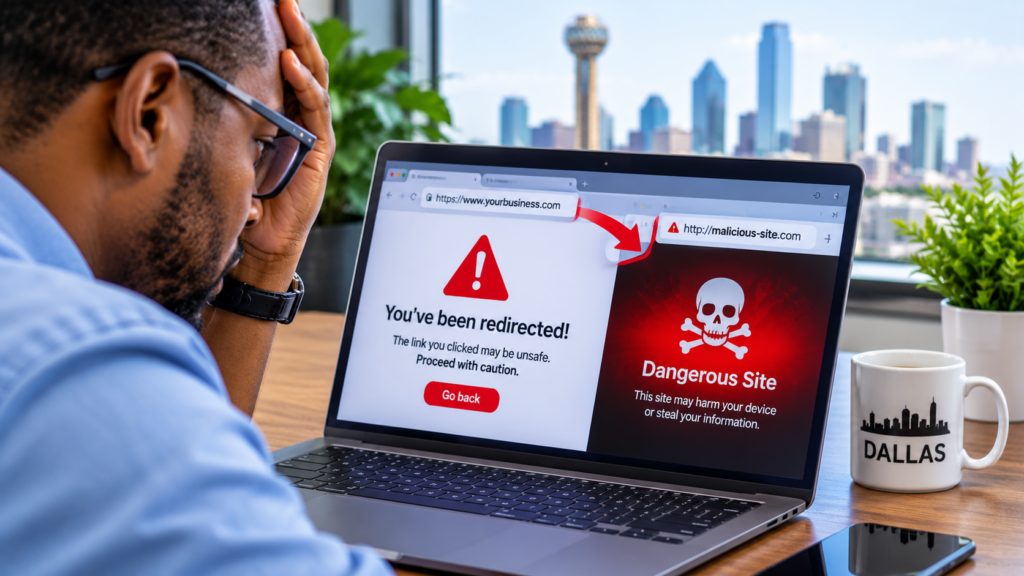
Have you ever clicked a business website and suddenly landed somewhere completely different? This can happen when malicious code has been added to a website. Some redirects are designed to send visitors to fraudulent websites, suspicious advertisements or pages requesting personal information. One important detail is that malicious redirects may not happen every time. Some attacks behave differently depending on the visitor’s device, browser or how the person arrived at the page.
What to do: Test important website pages using different browsers and devices. Check your website’s redirect settings and have a qualified website security specialist investigate unexpected behaviour.
3. Your Google Search Console Shows Unusual Activity
Google Search Console is one of the most useful free tools for monitoring your website’s search health. If you manage a business website, you should have access to its verified Search Console property.
Pay attention to:
- Unexpected increases in indexed pages.
- Search queries unrelated to your business.
- Unfamiliar URLs appearing in search performance reports.
- Security issue notifications.
- Manual action notifications.
The Security Issues report is particularly important because Google may identify hacked content or other security problems affecting your website.
What to do: Check Search Console regularly and make sure notifications reach an email address that someone actively monitors.
4. Your Website Contains Unfamiliar Links or Content
Another warning sign is content you do not recognise. You may discover strange links inside existing service pages, unfamiliar advertisements, suspicious scripts or text that does not match your business. For example, a Dallas law firm’s website should not suddenly contain unrelated promotional links or hidden pages advertising completely different services. Attackers sometimes place content where ordinary visitors may not notice it immediately.
What to do: Compare your website’s current content with previous backups and inspect unfamiliar changes. Review administrator accounts, website files and recently modified content.
Do not simply delete suspicious pages without investigating how they got there. The underlying access point may still be compromised.
5. Your Website Traffic and Search Queries Change Unexpectedly
A sudden change in website traffic does not automatically mean your website has been attacked. Google algorithm updates, seasonal demand, competitors and changes in customer behaviour can all affect organic traffic. However, unusual search queries or traffic patterns deserve investigation when they occur alongside other warning signs. For example, a Fort Worth HVAC company may notice its website receiving impressions for unrelated searches that have nothing to do with heating, cooling or home services.
What to do: Compare your Search Console performance data over time. Check the queries generating impressions, the pages receiving traffic and whether unfamiliar URLs are involved.
Look for patterns rather than assuming every ranking decline is a security incident.
6. Your Website Starts Showing Security Warnings
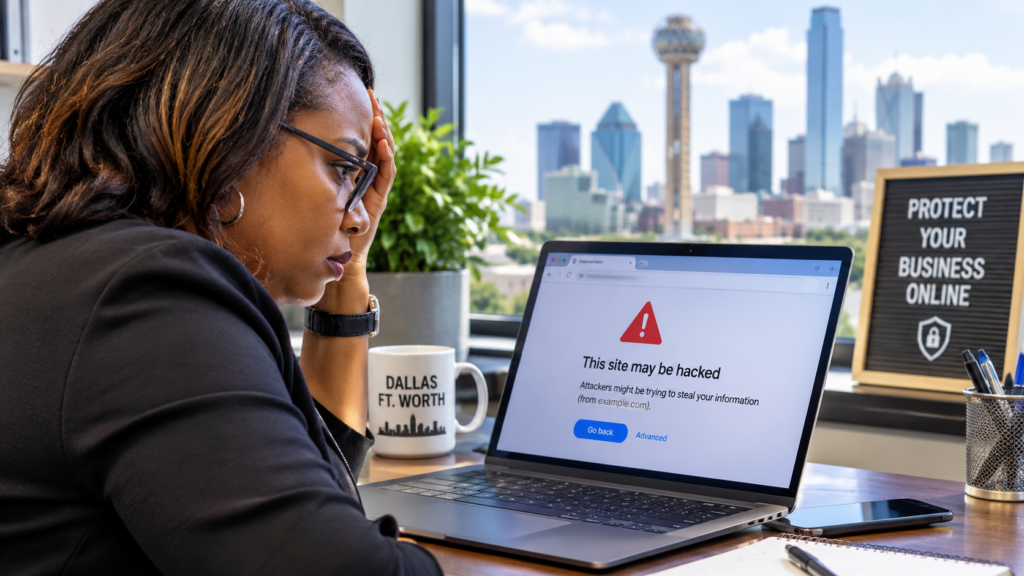
Sometimes the warning comes directly from the browser or a security service. Visitors may see a warning that a website is unsafe or contains deceptive content. This can seriously affect customer confidence. Imagine a potential customer searching for a Dallas cleaning company, finding your website and receiving a security warning before they can even view your services. Even if the customer has never heard of SEO poisoning, they may simply decide not to take the risk.
What to do: Investigate the warning immediately. Check Google Search Console’s Security Issues report and relevant security services, then work with your hosting provider or website security professional to resolve the underlying problem.
7. Your Website Has Unauthorised Administrator Accounts
Sometimes the problem starts with access rather than search rankings. An unfamiliar administrator account, unexpected password reset or changes to website settings could indicate that someone has gained access without permission. This is especially important for businesses with multiple employees, contractors and marketing agencies managing their websites.
What to do: Review user accounts and access permissions. Remove access that is no longer authorised, update compromised credentials and enable two-factor authentication.
How to Prevent SEO Poisoning Before It Damages Your Business
Detecting suspicious activity is important, but prevention should be part of your ongoing website management routine.
Here are practical measures DFW business owners can put in place.
1. Keep Your Website Software Updated
If your website runs on WordPress, regularly update WordPress core, themes and plugins. Outdated software can contain security vulnerabilities that attackers may exploit. However, updating everything without preparation can sometimes cause compatibility problems. Maintain recent backups, check plugin compatibility and use a proper update process. Remove themes and plugins you no longer use. Every unnecessary component adds another item that needs to be maintained.
2. Use Strong Passwords and Two-Factor Authentication
Your website administrator account should not have the same password you use for everyday business accounts. Use unique passwords, enable two-factor authentication and limit administrator access to people who genuinely need it. If a former employee or marketing contractor no longer manages your website, review and update their access permissions. The same principle applies to your hosting account, domain registrar, business email and Google accounts.
3. Install Reliable Website Security Monitoring
A good website security solution can help identify suspicious file changes, malware, unauthorised activity and other threats. For WordPress websites, consider a reputable security plugin alongside server-level protection and regular professional checks. Remember that installing a security plugin does not automatically make a website secure. Monitoring, updates, backups and proper configuration still matter.
4. Back Up Your Website Regularly
Imagine discovering that your website has been compromised just before a busy business period. Without a reliable backup, restoring your website may become more difficult and expensive. Maintain regular backups of your website files and database. Keep copies separate from the live website, and periodically test that your backups can actually be restored. A backup is only useful if it is recent, complete and accessible when needed.
5. Monitor Your Backlinks
Backlinks are important in SEO, but not every website linking to your business is beneficial. Your website may receive links from irrelevant directories, suspicious websites or spam networks. Monitor your backlink profile using reputable SEO tools and investigate unusual patterns. However, do not panic and disavow every unfamiliar link. Not all low-quality backlinks represent an attack, and Google’s systems can generally assess many links without requiring manual intervention. If you discover evidence of a deliberate negative SEO campaign or an unnatural link scheme, investigate the situation carefully before taking action.
6. Be Careful About Who Manages Your Website
Many Dallas businesses outsource website design, SEO, content management and technical support. There is nothing wrong with outsourcing these activities. The important thing is knowing who has access to your website and what permissions they have. Work with service providers who explain their processes, maintain proper access controls and communicate security issues. Avoid sharing administrator passwords through unsecured channels or giving every contractor full access when their responsibilities do not require it.
7. Monitor Your Website Through Google Search Console
Make Search Console part of your regular website monitoring routine. Review the Security Issues report, Page Indexing report and Search Performance report. Set up notifications and investigate unexpected changes. You should also periodically search for your own domain using the site: operator to identify unfamiliar indexed pages. These checks are simple, but they can help you discover problems before they become bigger issues.
What Should You Do If Your Dallas Business Website Has Been Hit?
If you suspect your website has been compromised, do not treat it as an ordinary SEO ranking problem. The priority should be to secure the website and remove the cause of the compromise.
Follow this general recovery process:
- Contact your hosting provider: Ask for assistance investigating suspicious activity, server changes and possible malware.
- Secure website access: Change compromised credentials, review administrator accounts and enable two-factor authentication.
- Investigate the infection: Have a qualified specialist inspect website files, databases, plugins, themes and server configurations.
- Remove malicious content: Clean injected pages, suspicious scripts, hidden links and unauthorised redirects.
- Restore a clean backup if necessary: Use a verified backup where appropriate, after addressing the vulnerability that allowed the attack.
- Check Google Search Console: Review security notifications, indexed pages and any manual actions.
- Request a Google review where applicable: Once the security problem has been fixed, follow Google’s review process for the relevant security issue or manual action.
Do not assume that deleting a suspicious page means the entire problem has been resolved. Attackers may have left other unauthorised access points behind.
Google’s official documentation on preventing malware infection and Search spam policies provides additional guidance.
Why SEO and Website Security Should Work Together
Many business owners think about SEO and website security as two completely separate activities. One team works on keywords, rankings, backlinks and Google Business Profile optimisation, while another person handles website updates and technical maintenance. But these activities are connected. Your website is often the destination customers reach after discovering your business through Google Search, Google Maps or an online recommendation. If that destination is compromised, your SEO investment and customer experience can both suffer. For businesses competing across Dallas, Fort Worth, Arlington, Plano, Irving and Frisco, maintaining a healthy online presence requires more than publishing content and building backlinks. It also requires monitoring your website, protecting customer interactions, maintaining accurate business information and addressing technical problems before they affect your online presence. At Local SEO GMB Marketing, we understand that local visibility is about more than getting a business to appear in search results. Your website and Google Business Profile should work together to help potential customers find accurate information and confidently connect with your business. You can explore our Local SEO services in Dallas to learn how we support local search visibility, or request a free Google Business Profile audit. For businesses that need more specialised website development and technical support, Hordanso is another resource to explore.
Frequently Asked Questions About SEO Poisoning
1. What is SEO poisoning in simple terms?
SEO poisoning is the manipulation of search engine results to promote malicious or deceptive websites. It can also involve compromising legitimate websites and using them to publish spam pages, inject malicious links or redirect visitors.
2. Can SEO poisoning affect a small business website?
Yes. Small businesses can be affected, particularly when their websites have outdated software, weak access controls or vulnerable third-party components. A compromised website can expose customers to suspicious content and damage business reputation.
3. How can I check if my website has been affected by SEO poisoning?
Start by checking Google Search Console, especially the Security Issues and Page Indexing reports. Search Google using site:yourdomain.com to identify unfamiliar pages, and inspect your website for suspicious redirects, unexpected content and unauthorised accounts.
4. Can SEO poisoning affect my Google rankings?
Yes. Hacked pages, malicious redirects and spam content can create search visibility and reputation problems. Google may also issue security warnings or take action against pages that violate its spam policies.
5. Does SEO poisoning only affect WordPress websites?
No. Websites built with WordPress, custom development platforms and other content management systems can all be affected. The risks depend on website vulnerabilities, hosting security, access controls and the software being used.
6. How often should I check my business website for SEO poisoning?
Review Google Search Console and website security alerts regularly. Schedule periodic technical security checks, maintain automatic backups and investigate unusual changes as soon as they appear.
Protect Your Online Presence Before a Small Problem Becomes a Bigger One
Your website is an important part of how customers discover and evaluate your business. Whether you run a law firm in Southlake, a plumbing company in Dallas, a restaurant in Plano or a home service business in Fort Worth, protecting that online presence should be part of your business strategy.
Do not wait until customers start reporting suspicious redirects or Google displays a security warning before paying attention to website health.
Need help strengthening your local search presence?
Local SEO GMB Marketing helps businesses across Dallas-Fort Worth improve their local SEO, Google Business Profile visibility and website search performance.
Visit https://localseogmbmarketing.com/ to learn more.
Request your free GBP audit: https://localseogmbmarketing.com/gmb-audit/
Call: (682) 356-3111
Email: gmb@localseogmbmarketing.com
Build your visibility. Protect your reputation. Give customers a safer way to find your business.